
(In Progress) The Raspberry Pi Zero W: Old but Still Gold!
— By ttyrex
The Raspberry Pi Zero W was is a remarkable little device, featuring 2x UART, WiFi, and Bluetooth (including BLE). For most projects, it offers all you need. Its age makes it a really affordable option for low-budget projects, but running a full operating system can be a real drain on its limited memory, often leaving it gathering dust on your shelf.
Well, it’s time to bring it back to your workbench!
The Pi Zero W may be old (February 2017), but it’s far from obsolete, my friends. That goes for the Pi Zero 2 (October 2021) as well—it’s essentially the same board but with a 4x cores CPU (instead of x1).

Which OS to use in 2024 ?
The first step is to select the right distribution for your needs. Essentially, you’ll need to find a balance between minimizing disk space usage and optimizing the boot sequence for a fast startup. Additionally, the availability of packages and tools should also factor into your decision. The CPU arch armhf (ARMv6) will limit your choice to a few options.
DietPI (Raspbian on a diet!)
Thanks to all the contributors, I use DietPI as the main OS for Rpi Zero W. It’s slim and stable — Yep, the exact opposite of me!
DietPi is an extremely lightweight Debian OS, highly optimised for minimal CPU and RAM resource usage, ensuring your SBC always runs at its maximum potential.
It has its own repostiories and a cool text-based interface (smilar to raspi-config) to configure the device. This is a really good alternative to the big fat Raspberry PI OS.
Alpine Linux
TBD
piCore and Tiny Core LinuxNetbootNetboot
Well, piCore-5.1.rc4.img.gz is 29MB.
Size comparaison
| Distro | Size |
|---|---|
| Raspberry Pi OS Lite | 509MB |
| Tiny Core Linux | x MB |
| piCore | X MB |
| Alpine (armhf) | X MB |
| Arch Linux | - |
Arch Linux sent the End of life for v5/v6 notice Dec 12, 2021 10:32 pm.
Simplify your daily usage

I’ve listed the different components I add to the board and the tools I use daily to save time and avoid small annoyances.
Hardware tips and upgrades to consider
Use custom images and tons of mini SD cards
TBD
Real Time Clock
TBD
Serial port
TBD
Pinout riser
TBD
Use Pi HATs and make your own
TBD
Software toolchains
These tips aim to minimize the time between flashing the SD card and starting with the freshly installed OS by eliminating as many manual steps as possible. We all know about it but most of the time too lazy to implement it.
Use Raspberry Pi Imager from the cli
This tool simplifies everything, though the UI has its limitations. So let’s do it with vim.
You can locate and modify the configuration at ~/.config/Raspberry Pi/Imager.conf.
Adjust settings in the following section:
[imagecustomization]
hostname=pizerow
keyboardLayout=us
sshAuthorizedKeys=ssh-rsa AAAA....
sshEnabled=true
sshUserName=thomas
sshUserPassword=$5$mysuperpassword
timezone=America/Toronto
wifiCountry=CA
wifiPassword=xxxxxx
wifiSSID=my-wifi-network
You can use this tool directly from the command line.
$ rpi-imager --help rpi-imager [--debug] [--version] [--repo <repository URL>] [--qm <custom qm translation file>] [--disable-telemetry] [<image file to write>] -OR- rpi-imager --cli [--disable-verify] [--sha256 <expected hash>] [--debug] [--quiet] <image file to write> <destination drive device>
A useful practice I’ve found is to organize various configuration files into folders or versions and use a template engine like Jinja2. Personally, I store my values in a YAML file and modify the configuration to be a j2 template:
hostname: pizerow
keyboardLayout: us
sshAuthorizedKeys: ssh-rsa AAAA....
sshEnabled: true
sshUserName: thomas
sshUserPassword: $5$mysuperpassword
timezone: America/Toronto
wifiCountry: CA
wifiPassword: xxxxxx
wifiSSID: my-wifi-network
[imagecustomization]
hostname={{ hostname }}
keyboardLayout={{ keyboardLayout }}
sshAuthorizedKeys={{ sshAuthorizedKeys }}
sshEnabled={{ sshEnabled }}
sshUserName={{ sshUserName }}
sshUserPassword={{ sshUserPassword }}
timezone={{ timezone }}
wifiCountry={{ wifiCountry }}
wifiPassword={{ wifiPassword }}
wifiSSID={{ wifiSSID }}
I have written a python script than let me generate the config when needed:
$ python update_config.py /path/to/values.yaml /path/to/templatesGood news, DietPi also fully supports customization directly from it.
Monitor ARP
When using automatic WiFi settings from the flasher, your device will be assigned a random IP address on your local network. Occasionally, the hostname may not resolve automatically. In such situations, plugging in a screen can be a waste of time. To avoid this, I rely on my Go Arp Go tool to quickly find the IP address assigned by the DHCP server without navigating through the OpenWRT interface. Building this tool was also a great opportunity to start exploring Go programming.
[root@tv ~]# tail -f /var/log/goarpgo.error.log
[+] b8:27:xx:xx:xx:xx
[>] b8:27:xx:xx:xx:xx 	 192.168.1.128 	 raspberrypi.lan.
You can always install arpwatch, but I found a minimal CLI tool to be more convenient.
Configure SSH to be insecure (yep, I know…)
Installing and reinstalling operating systems always creates a new random SSH fingerprint, which need an extra step to bypass. Avoid the hassle by spending just 5 seconds configuring your SSH client to ignore fingerprint warnings and stop storing them for devices on your local network.
Host 192.168.0.*
    StrictHostKeyChecking no
    UserKnownHostsFile /dev/null
Avoid Compiling Directly on the Pi Zero
It’s no secret that the Pi Zero lacks power. Installing software can be slow, and compiling even small programs can take hours.
My Top Practical Use Cases with a Pi Zero
The Pi Zero shines when you need to interface with “serial” (over USB or GPIO) devices like a GPS module or a Radio chip (Lora or whatever), especially when you’re feeling limited by a microcontroller. A great example of this is working with cryptographic systems. Decoding encrypted packets on an ESP32 quickly becomes a headache. Additionally, many microcontrollers that seem ideal on paper — offering the communication capabilities you need and low power consumption — don’t support OTA (over-the-air) updates, which can be frustrating when deployed in hard-to-reach locations, like on a roof.
Raspberry Pi Zero W and Meshtastic
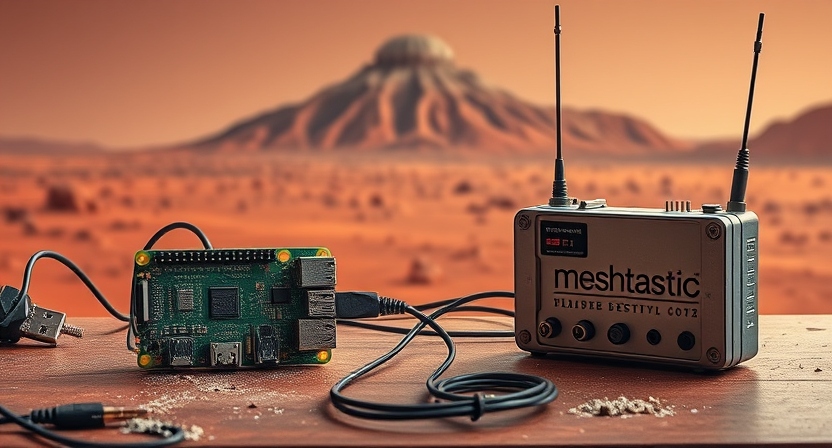
Packet radio is fantastic, and Meshastic takes it to the next level.
ser2net
TBD
Wifi connexion
TBD
Bluetoothctl
TBD