
IP-in-IP in the Age of Cloud Computing
— By ttyrex
Let’s be honest — in our cloud-native, AI-flavored, service-meshed era, pulling out IP-in-IP feels like showing up to a Formula 1 race on a horse. While the cool kids are busy benchmarking service meshes for their zero-trust Kubernetes clusters on Mars, I found myself reaching for a vintage networking trick straight from the dial-up days: IP Encapsulation within IP (In Linux it is net/ipv4/ipip.c).
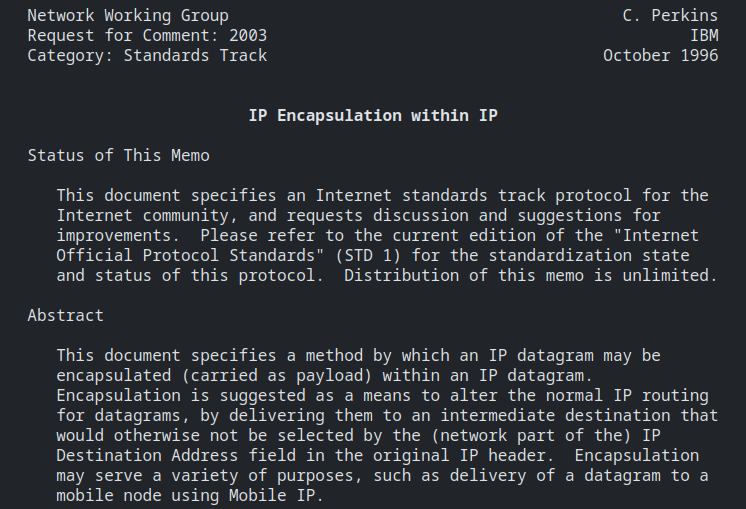
RFC from 1996. omg.
Why? Because sometimes, modern cloud platforms are just a bit too opinionated — kind of like engineers. (Wait, did I say that out loud? Oops.)
In my case, the (so-called) cloud provider refused to route custom IP ranges (i needed it to route some range as i have VM with IPsec VPN). Also subnet conflicts weren’t helping either. So I had to get scrappy.
I came up with a simple but effective workaround using ipip tunnels to connect each host to a designated “chosen one” responsible for handling outbound VPN traffic—effectively bypassing the cloud provider’s network restrictions, since encapsulated traffic is not inspected.
I wasn’t exactly super excited to manage all additional static IPs on every host — I do have some self-respect, after all. Then it hit me: what if each host could assign its own IP on the new interface automatically? So I went with the classic trick — just kept the last octet the same to avoid conflicts.
Basically, here are the three snippets I added to the cloud-init configuration to ensure that each host is provisioned with an additional IP
and a route to the VPN gateway.
In the era of systemd on Linux, the simplest approach is to write start/stop scripts and wrap them in a custom systemd service to manage everything cleanly.
Essentially, each script reads from the /etc/routes.rules file and loops through its entries to bring up the IPIP interfaces
and configure the required routes.
Start IPIP tunnel script
#!/bin/bash
set -e
MY_IP=$(hostname -I | awk '{print $1}')
LAST_OCTET=$(echo `hostname -I | awk '{print $1}'` | awk -F. '{print $4}')
input_file="/etc/routes.rules"
while IFS=';' read -r id network peer gw; do
  TUNNEL_IP="10.0.$id.$((LAST_OCTET))/16"
  /usr/sbin/ip tunnel add ipip$id mode ipip local $MY_IP remote $peer ttl 255
  /usr/sbin/ip addr add $TUNNEL_IP dev ipip0
  /usr/sbin/ip link set dev ipip$id up
  /usr/sbin/ip route add $network via $gw src $MY_IP
done < "$input_file"
Stop IPIP tunnel script
#!/bin/bash
set -e
input_file="/etc/routes.rules"
while IFS=';' read -r id network peer gw; do
  /usr/sbin/ip link set dev ipip$id down
  /usr/sbin/ip link delete dev ipip$id
done < "$input_file"
In this final snippet, cloud-init is used to add the systemd unit to manage the setup properly.
# IPIP tunnel service
- path: /etc/systemd/system/ipip-tunnel.service
  content: |
    [Unit]
    Description=IPIP tunnel server
    After=network.target
    Wants=network-online.target

    [Service]
    Type=oneshot
    ExecStart=/usr/local/bin/ipip_start.sh
    ExecStop=/usr/local/bin/ipip_stop.sh
    RemainAfterExit=yes

    [Install]
    WantedBy=multi-user.target
  owner: root:root
  permissions: '0644'
It’s not the fanciest solution out there — no overlay networks, no dynamic controllers, no buzzwords. But this little script did the job, and did it well. It’s been stable, reliable, and saved me from a major headache.
Sometimes, old tricks still hold up. And honestly, it felt kind of nice to revisit those early networking days. Happy to share this little blast from the past — hopefully it helps someone else stuck with the magic (and occasional madness) of the cloud.
^EOF
🤖 Please note that I have used ChatGPT to help with my English in this article. If you come across any words that seem off topic or like a hallucination, please let me know. Thank you.