
(In Progress) Building a Freedesktop Thumbnailer from scratch!
— By ttyrex
While organizing my photo library on Linux (which, honestly, is the best OS ever for photography), I realized that working with RAW image files — especially Canon’s elusive CR3 format — can be surprisingly painful when it comes to thumbnail generation. Most existing tools either don’t support it at all or struggle with performance.
Also, when trying to generate thumbnails asynchronously to optimize my multi-terabyte collection, I was surprised to see how little advantage they take of modern multi-core CPUs.
So, I took matters into my own hands and built a DIY thumbnailer service in Python from scratch. It’s not perfect — it’s not meant to be a full replacement for official tools — but I quickly realized that building your own can become a powerful addition to your photo workflow.
For now, I’ve kept the script focused on fast thumbnail generation — but who knows where it might go next?
When you own the pipeline, the possibilities are wide open. In fact, on your favorite operating system, offloading thumbnail generation to your own custom service makes a lot of sense. It gives you the freedom to plug in any tooling you want — from AI-based analysis to backup hooks, indexing, objects storage posting, usage tracking, previews shared on your local network and more…
Also, consider this article more of a story to inspire you to build your own system, rather than a showcase of my script itself — which isn’t anything groundbreaking.
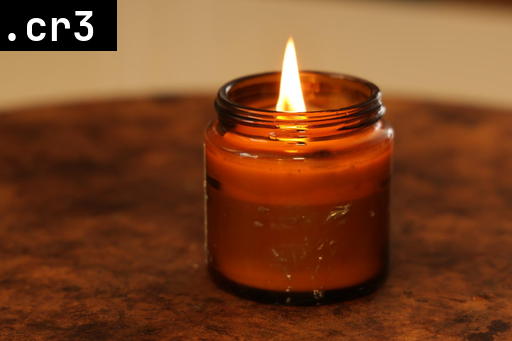
Along the way, I also had the chance to dive into how GNOME and Freedesktop handle thumbnailing under the hood, which turned out to be a really cool and insightful learning experience.
The goal?
Full support for CR3 files, efficient multi-core processing, and a thumbnailer — available both as an on-demand service for GNOME (which generates thumbnails when you open a folder) and as a CLI tool — that’s fast even when crawling through deeply nested folders. Regularly generating/refreshing thumbnails can significantly improve your entire photo workflow.
Using the right library to process images
Using the right library is obviously crucial for a project like this, and I ended up choosing Pillow.
Pillow is the friendly PIL fork.Pillow lets you resize images with solid performance and even add text layers.
Dealing with RAW thumbnail
When it comes to RAW files, you have to choose: either extract the embedded thumbnail (usually faster but lower quality), or generate your own from the full image data for better accuracy at the cost of performance.
With RAW files, you’re getting untouched sensor data—Canon’s choices for white balance, picture style, and other settings are stored as metadata and only applied to the embedded JPEG preview, not the raw pixels themselves.
Therefore, if you generate a thumbnail directly from the RAW sensor data, it won’t match the JPEG you saw on the camera screen, since that preview includes the camera’s processing — white balance, contrast, color profile, and more — none of which are applied to the raw pixels. This can lead to surprises when browsing folders in your file manager, as the thumbnails may look flat, desaturated, or just different from what you expected.
On that note, I chose to extract the embedded JPEG preview from the RAW files since it’s good enough for generating thumbnails. When browsing folders, I prefer thumbnails that closely resemble the preview I saw on the camera at the time of shooting.
Multiprocessing

Output format
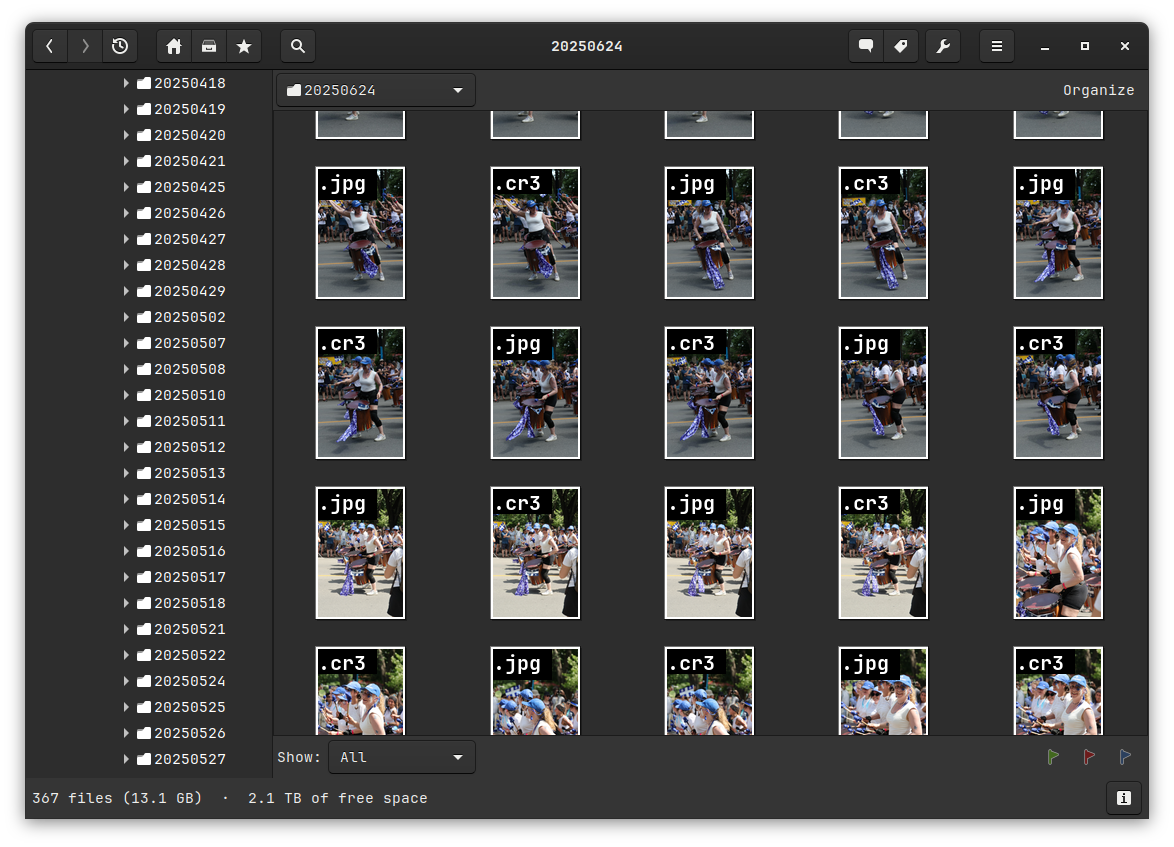
As you can see in the preview, I added the file extension in the corner of each thumbnail. I did this because, when working with large libraries, software like gThumb can be slow or limited at displaying file info below images (including extensions). To work around this, I embedded the format directly into the thumbnail itself and configured gThumb to show no extra text—making browsing faster and clearer.
By the way, I am having a conversation about this issue in gThumb in Gnome Gitlab.
Gnome settings
WORK IN PROGRESS